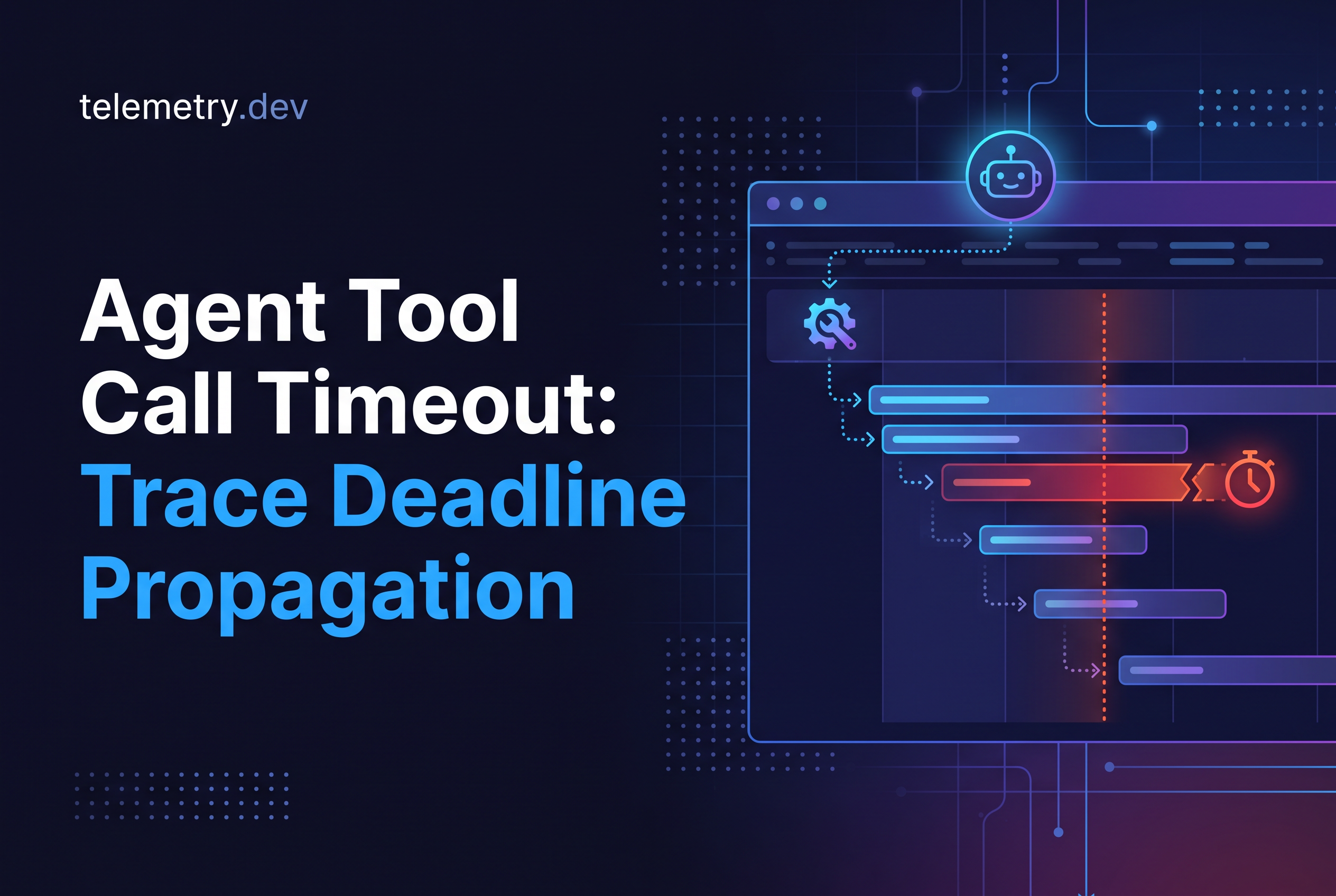
An agent tool call timeout usually stops your code from waiting, not the tool from working. The timer fires, your run moves on, and the HTTP request, database query or subprocess behind the tool keeps going until it finishes on its own. To fix it, own the deadline in your application, pass a cancellation signal to every tool, and record timeout, caller cancellation and orphaned work as three different outcomes in standard OpenTelemetry spans.
This guide is for TypeScript and Python engineers running agents in production, whether you call providers directly or through the Vercel AI SDK, LangGraph, Pydantic AI or CrewAI. It covers deadline budgets, cancellation in both languages, span attributes, and how to spot tool work that outlives the run that started it. It does not repeat our guides on retries and tool failures or queued agent jobs.
Why an agent tool call timeout often stops waiting but not working
A typical agent tool call timeout is a race between two promises: the tool call and a timer. When the timer wins, your code throws a timeout error and continues. Nothing in that race tells the tool to stop.
Here is the common pattern in TypeScript:
const result = await Promise.race([
  tool(args),
  new Promise((_, reject) => setTimeout(() => reject(new Error("timeout")), 10_000)),
]);
After ten seconds the race rejects. The tool(args) promise is still pending, and whatever it started is still running. If that tool sent an email, wrote a row or kicked off a paid downstream API call, it can still do so after your run has reported failure. Python has the same trap when you wrap a thread-pool call in asyncio.wait_for: the await is abandoned, the thread is not.
This matters for three reasons. Cost: orphaned work still burns tokens, compute and third-party quota. Correctness: your agent may retry a tool whose first attempt is still in flight, producing duplicates. Debugging: the trace shows a clean timeout error at 10 seconds while the real work ended at 38.
A timeout that only stops waiting is a timer. A timeout that stops working is a cancellation. You need the second one, and you need your telemetry to say which one you got.
Own the deadline in your application: a run budget and per-tool budgets
Own the deadline in your application code, not in whichever SDK happens to have a default. Set one run budget when the request arrives, then derive a per-tool budget for each call.
A child deadline can never extend its parent. If the run has 30 seconds left and a tool's budget is 45 seconds, the tool gets 30. If a tool times out, its siblings keep their own budgets.
A workable starting layout:
Run budget: the total wall-clock time you will let one agent run take, for example 60 seconds.
Per-tool budget: a cap per tool type, for example 8 seconds for a search call and 30 seconds for a code-execution tool.
Effective deadline: the minimum of the remaining run budget and the tool's own cap.
Compute the effective deadline at call time, from the time left, not from a constant. A tool that starts at second 55 of a 60 second run should get 5 seconds, not 30. Record the budget you gave it on the span (covered below) so you can tell later whether a timeout was a slow tool or a starved one.
Pass the deadline as data too, not only as a timer. If your tool calls another service, send the remaining time in a header or parameter so the callee can refuse work it cannot finish.
Propagate cancellation, not just a timer: AbortSignal in TypeScript and asyncio cancellation in Python
Propagate a cancellation signal through every layer that does I/O. In TypeScript that is an AbortSignal. In Python it is task cancellation under asyncio.
TypeScript. Combine the caller's signal with a deadline using AbortSignal.any() and AbortSignal.timeout(), then hand the result to each tool:
const runSignal = AbortSignal.any([
  request.signal,                  // caller disconnect or cancel
  AbortSignal.timeout(runBudgetMs) // overall run deadline
]);

const toolSignal = AbortSignal.any([
  runSignal,
  AbortSignal.timeout(toolBudgetMs)
]);

const result = await tool(args, { signal: toolSignal });
Inside the tool, pass the signal to anything cancellable, such as fetch(url, { signal }). For work that is not cancellable, call signal.throwIfAborted() between safe units of work. Check before starting any side effect or retry.
Python. Use asyncio.timeout() (Python 3.11+) so the deadline cancels the task instead of abandoning it:
async with asyncio.timeout(tool_budget_s):
    result = await tool(args)
When the deadline passes, asyncio raises CancelledError inside the awaiting task, and the tool gets a chance to clean up in a finally block. Don't swallow CancelledError. If a tool wraps blocking code in run_in_executor, the thread does not stop on cancel, so that tool needs its own cooperative check.
Both mechanisms are cooperative. The signal only works if the tool listens to it. Cancelling locally stops your side from waiting and aborts in-flight requests you control. It does not guarantee a remote service stopped, and it cannot undo an effect the remote side already accepted.
Record timeout, caller cancellation and failure as different outcomes in OpenTelemetry
Record three outcomes, not one "error": the tool timed out, the caller cancelled, or the tool failed. They have different causes and different fixes, and merging them makes your error rate meaningless.
OpenTelemetry's guidance on recording errors says a failed operation should set span status to Error and set error.type to a low-cardinality value. That fits a timeout: your deadline passed and the operation did not complete. Intentional cancellation by the caller is different. For HTTP client spans the conventions say to leave status unset and not set error.type when the caller cancelled on purpose. The same reasoning applies to a tool span when the user closed the request.
A simple mapping:
| Outcome | Span status | error.type |
Custom attribute |
|---|---|---|---|
| Completed | Unset | none | tool.outcome = "ok" |
| Deadline exceeded | Error | timeout |
tool.outcome = "timeout" |
| Caller cancelled | Unset | none | tool.outcome = "cancelled" |
| Tool threw | Error | exception type | tool.outcome = "error" |
The tool.outcome name is yours, not an OpenTelemetry convention. Pick a namespace you own and keep the value set small. Add two more attributes to every tool span: the budget you granted (tool.budget_ms) and the run time remaining at start (run.remaining_ms). With those, one query separates "tool is slow" from "tool was given too little time".
In TypeScript the branch looks like this:
if (signal.aborted) {
  const timedOut = signal.reason?.name === "TimeoutError";
  span.setAttribute("tool.outcome", timedOut ? "timeout" : "cancelled");
  if (timedOut) span.setStatus({ code: SpanStatusCode.ERROR });
  if (timedOut) span.setAttribute("error.type", "timeout");
}
Record an exception event only when a real exception exists, and record it once.
What are the best practices for monitoring AI agents?
Trace every model call and tool step as its own span, and keep the same trace context across the whole run. Record timeout, caller cancellation and failure as distinct outcomes, not one generic error. Set your own run and per-tool deadlines, then check for spans that end after their parent. Use standard OpenTelemetry attributes so you can switch backends without re-instrumenting. Finally, accept that missing instrumentation means missing detail: a tool you never wrapped will not show up in the trace.
Observe tool work that outlives the parent run: span links, late-ending spans and orphan checks
To see tool work that outlives its run, keep the tool span alive until the work actually ends, not until your timer fires. Most timeout handling skips this step.
When a tool times out but cannot be interrupted, don't end its span at the timeout. Instead:
Mark the outcome on the span with an event, such as
deadline_exceeded, at the moment the timer fires.Let the span keep running and end it when the underlying promise or thread settles.
Set the final
tool.outcometo something liketimeout_orphanedif the work finished after the parent run ended.
The result is a tool span whose end time falls after its parent's end time. That shape is the signal. A child span ending after its parent is rare in healthy traces, so it is easy to query for.
If the orphaned work runs in a different process or later job, you can't always keep a parent-child relationship. Use a span link from the late span back to the original tool span instead. Our guide on queued agent jobs covers carrying trace context across a message boundary, which is the same mechanism you need when a tool hands off to a background worker.
Then add an orphan check. A simple definition: a tool span with tool.outcome = "timeout" whose end time is more than a few seconds after its parent run span ended. Count those per tool per day. A tool with a rising orphan count is the one to fix first, because it is spending money and possibly mutating state after your agent has moved on.
That is the honest cost of a timeout. Pair it with cost tracking tied to agent runs so you can see what orphaned work actually cost.
What you will not see: cooperative cancellation limits and instrumentation gaps
Expect gaps. Cancellation is cooperative, so a tool that ignores its signal will run to completion no matter what your deadline says. Your spans will show the timeout accurately, and the orphaned work only if you kept the span open.
The common blind spots:
Third-party tools and SDKs that accept no signal. You can stop waiting, but not working. Wrap them and record the orphan.
Blocking code in threads or subprocesses. Neither
AbortSignalnor asyncio cancellation reaches inside. You need an explicit kill, a flag the worker checks, or a process boundary you can terminate.Remote side effects. If a downstream service already accepted the request, cancelling locally does not roll it back. Use idempotency keys so a retry does not duplicate it.
Spans nobody creates. Tracing shows only what is instrumented. If a tool has no span of its own, its orphaned work is invisible.
Framework internals. LangGraph, Pydantic AI, CrewAI and the Vercel AI SDK each have their own timeout and cancellation behavior. Check whether your tool function actually receives a signal from the framework before assuming it does.
Treat the orphan check as a measurement of how much of your tool code is actually cancellable, and let that number drive which tools you fix.
Send the spans to telemetry.dev over OTLP/HTTP and how this differs from our retries and queued-jobs guides
telemetry.dev is LLM observability for AI apps and agents, built on OpenTelemetry, that traces model calls, tool steps and retrievals with cost, latency, token and error tracking. Everything above is standard OpenTelemetry, so the spans export over OTLP/HTTP with any OTLP/HTTP exporter or an OpenTelemetry Collector, and the first-party TypeScript and Python SDKs are available if you want them. Your tool.outcome, tool.budget_ms and run.remaining_ms attributes travel as ordinary span attributes, so you can filter and group on them where you inspect traces.
Free is $0 with 30k units and 14-day retention, Pro is $25/month with 500k units, and Team is $50/month with 2M units and unlimited projects and seats.
Three guides, three different questions:
Retries and tool failures: how to model a failed attempt versus a failed run, with a span per attempt.
Queued agent jobs: how to keep one trace across an enqueue, queue wait and processing boundary.
This guide: who owns the deadline, whether cancellation actually reached the work, and how to see work that outlived the run.
If you want broader run-level numbers alongside these spans, see measuring run success and latency.
How do I monitor tool calls, traces and token usage together?
Put model calls, tool calls and retrievals in one trace, with token counts recorded on the model spans. Then you can see which tool step was slow and what the model call around it cost. telemetry.dev accepts any OTLP/HTTP exporter and has TypeScript and Python SDKs.
What does AI agent monitoring need to cover in 2026?
Agent monitoring needs to cover three things: each model call, each tool step, and how every run ended. For tool timeouts, that last part matters most. A run that stops waiting while a tool keeps working looks like a clean failure unless your traces record it. Capture latency, tokens, cost and errors per step, plus the outcome of the parent run. telemetry.dev does this over OpenTelemetry for TypeScript and Python agents, so you can find the slow step and inspect the failed call.
Pick one slow tool and make its timeout a cancellation
A timeout you can't tell apart from cancellation or orphaned work is a number that lies to you. This week, take the one tool that times out most often, give it a derived deadline and an AbortSignal or asyncio timeout, keep its span open until the work really ends, and tag the outcome. Then send those spans to telemetry.dev over OTLP/HTTP from the free plan and look at how many of its timeouts end after the run did.
Share this article